Node.js Upgrade: 5 Things That Can Break Before You Migrate

Updating Node.js can be as simple as installing a new version. But a safe Node.js upgrade is more than changing the number returned by node -v.
A major release can affect dependencies, native addons, Node.js APIs, OpenSSL, build environments, and runtime behavior. Before changing the runtime, the first question should be:
What could break?
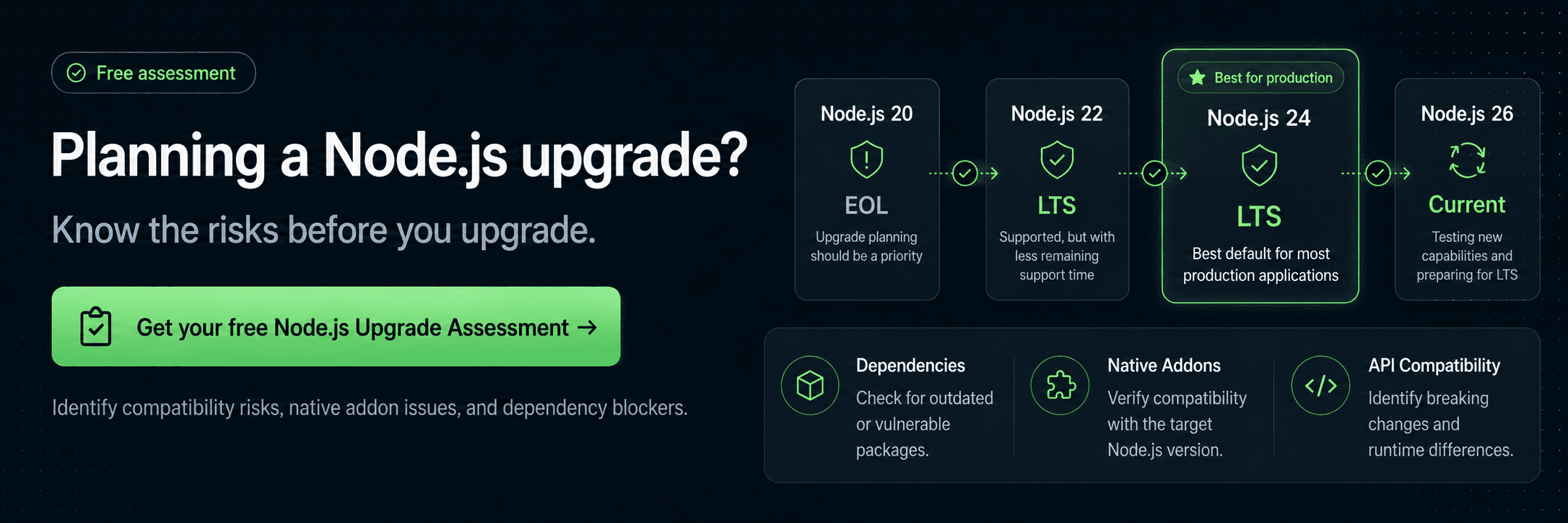
Get your free Node.js Upgrade Assessment →
Before you upgrade, check your application
Run NodeSource's free Upgrade Discovery CLI:
npx @nodesource/upgrade
It analyzes your dependencies, native C/C++ addons, and static Node.js API usage locally to help identify potential upgrade blockers before you change the runtime. Your source code stays in your environment.
For production applications—especially those moving from older or End-of-Life (EOL) releases—finding those blockers early can turn an unpredictable migration into a manageable engineering project.
Check Whether Your Current Node.js Version Is Already Vulnerable
Before asking what might break during an upgrade, start with a more immediate question:
Is the Node.js version you're running today already affected by known vulnerabilities?
The Node.js project provides is-my-node-vulnerable, a lightweight tool that compares your installed Node.js version against the Node.js Security Database.
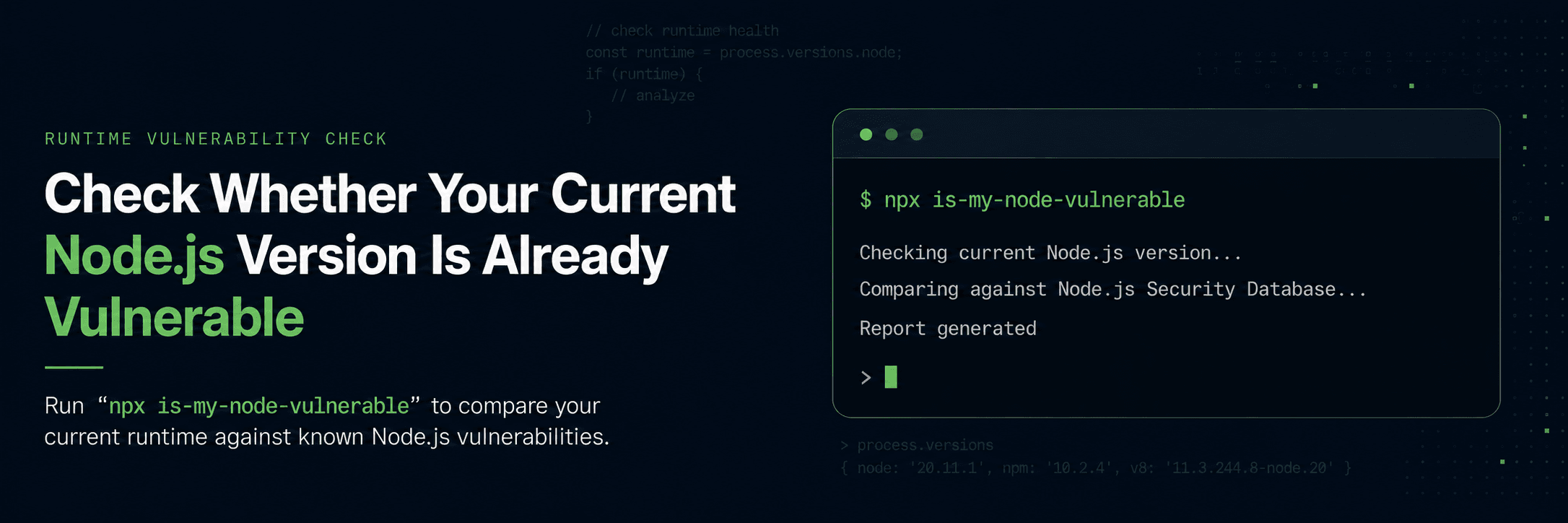
Run:
npx is-my-node-vulnerable
The tool checks process.version and reports known vulnerabilities affecting that release, including patched versions where available. The project also recommends including the check in application CI.
For an EOL release, the warning is broader. Because retired Node.js versions do not keep track of recent security releases, is-my-node-vulnerable considers them vulnerable by default and recommends upgrading.
That matters because an application can continue starting, accepting traffic, and passing health checks long after the runtime underneath it has stopped receiving upstream maintenance.
As of August 2026, Node.js 26 is Current, Node.js 24 and 22 are supported LTS lines, while Node.js 20 and 18 are EOL. The Node.js project recommends Active LTS or Maintenance LTS releases for production applications.
The official Node.js EOL inventory currently associates Node.js 20 with 27 High, 24 Medium, and 9 Low vulnerabilities, and Node.js 18 with 15 High, 19 Medium, and 4 Low. These counts do not mean every application is exploitable through every issue, but they show the growing body of publicly documented risk attached to release lines that no longer have an upstream patch train.
So is-my-node-vulnerable can answer:
“Do I need to move?”
But that leads to the harder question:
“What could break when I do?”
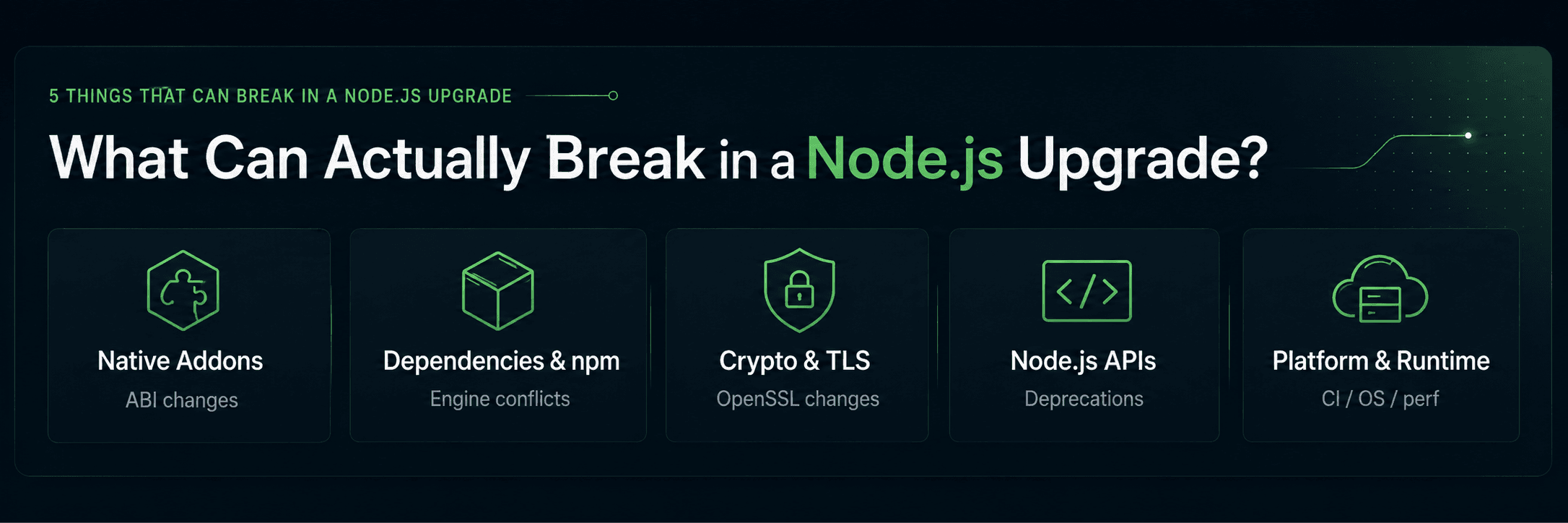
What Can Actually Break in a Node.js Upgrade?
Node.js is more than the JavaScript executable running your application. A major version can change several layers of the runtime at once.
The most common upgrade risks fall into five areas:
- Native addons: compiled modules may need to be rebuilt, updated, or replaced.
- Dependencies and npm: packages, peer dependencies, lockfiles, and build tooling may not support the target version.
- OpenSSL and TLS: cryptographic changes can affect certificates, keys, ciphers, and external integrations.
- Node.js APIs: deprecated behavior can become runtime warnings, errors, or removals.
- CI, containers, and operating systems: the infrastructure building or running the application may not support the new runtime.
The important part is that not every application has the same upgrade risk.
A service built entirely on actively maintained JavaScript packages may have a relatively straightforward upgrade path.
An older application with native modules, legacy TLS integrations, unsupported dependencies, and years of deprecated APIs may require a much larger modernization effort.
1. Native Addons Can Become Immediate Blockers
Native C and C++ dependencies are one of the first things to identify before changing Node.js versions.
Modules built with node-gyp, direct V8 APIs, Node.js C++ APIs, or other native interfaces may depend on assumptions that change between major releases.
That can result in:
- Addons that no longer load.
- Packages that need to be recompiled.
- Missing prebuilt binaries.
- Compiler or toolchain incompatibilities.
- Native dependencies that have been abandoned.
The official Node.js 22 → 24 migration guidance, for example, warns that addons linking directly against V8 APIs may need changes for V8 13.6 and that some builds may require C++20 where C++17 was previously sufficient. Node.js recommends preferring Node-API where possible to reduce this rebuild churn.
Node-API is specifically designed to provide ABI stability across Node.js versions. But an addon that depends directly on V8 or other internal interfaces does not automatically get that protection.
Before upgrading, identify:
- Which native dependencies exist.
- Which packages use
node-gyp. - Whether they use Node-API.
- Whether compatible prebuilt binaries exist for the target runtime.
- Whether the package is still maintained.
- Whether the target version requires a newer compiler or build environment.
A native dependency is much easier to replace during planning than after the new runtime fails to start.
2. Dependencies and npm Can Block the Target Version
The next layer is the dependency tree.
Packages can declare which versions of Node.js they support through the engines field in package.json:
{
  "engines": {
    "node": ">=22"
  }
}
A major Node.js upgrade can expose:
- Packages that do not support the target release.
- Peer dependency conflicts.
- Abandoned libraries.
- npm behavior changes.
- Lockfile differences.
- Framework restrictions.
- Build-tool incompatibilities.
There is also a problem in the opposite direction:
Staying on an old Node.js version can prevent dependency upgrades.
Over time, that can create a cycle:
- A newer package requires a newer Node.js version.
- The application stays on an older package release.
- Other dependencies become pinned around it.
- Security and bug fixes become harder to adopt.
- The eventual runtime upgrade becomes larger.
The Node.js project describes this as ecosystem drift: userland packages gradually stop supporting EOL release lines, forcing applications that remain on them further away from the maintained ecosystem.
This is why dependency compatibility should be discovered before changing the runtime.
You want to know that a package blocks Node.js 24 while you are planning the upgrade—not halfway through the production migration.
3. OpenSSL and TLS Can Break External Integrations
Some of the most disruptive Node.js upgrade issues can appear outside your application code.
Node.js bundles OpenSSL, so a runtime upgrade can change:
- Supported cryptographic algorithms.
- TLS defaults.
- Certificate validation.
- Cipher availability.
- Minimum key sizes.
- Compatibility with legacy services.
Node.js 24 provides a concrete example.
Its LTS builds include OpenSSL 3.5 with the default OpenSSL security level set to 2. Under that policy, RSA, DSA, and DH keys shorter than 2048 bits, ECC keys shorter than 224 bits, and RC4-based cipher suites are prohibited. The official migration guide specifically recommends testing workloads that depend on older keys or weak ciphers before upgrading.
Your JavaScript business logic may be completely compatible.
But an integration may not be.
A legacy internal API, database connection, proxy, authentication system, service mesh, certificate, or old appliance can become the real upgrade blocker.
Before upgrading, test the systems that depend on TLS and cryptography—not only the application's JavaScript test suite.
4. Deprecated APIs Can Become Runtime Failures
Working code is not always upgrade-ready code.
Node.js can deprecate APIs long before removing them. That gives developers time to migrate, but it also makes compatibility debt easy to ignore.
An application can run for years with deprecated behavior and appear completely healthy.
Then a future major release removes that behavior.
The Node.js 22 → 24 migration guide includes examples of exactly this process. It provides migration paths and codemods for deprecated or removed functionality involving fs, cryptography, process.assert, TLS APIs, and other runtime behavior.
For example, process.assert reached End-of-Life and was removed, while several APIs received replacements or stricter validation.
The risk grows when teams skip multiple Node.js majors.
Moving from Node.js 22 to 24 crosses a relatively narrow set of compatibility changes.
Moving from Node.js 14 or 16 to Node.js 24 means dealing with changes accumulated across several generations of the runtime.
You can expose some of this technical debt before the migration by running with greater deprecation visibility:
node --pending-deprecation app.js
For stricter testing:
node --throw-deprecation app.js
Warnings that are survivable today may point directly to failures in a future runtime.
Treat them as early upgrade signals.
5. Your CI, Containers, or OS May Be the Real Blocker
Sometimes the application supports the new Node.js version.
The infrastructure around it does not.
A Node.js version may be defined in:
- Docker base images
.nvmrc.node-version.tool-versions- GitHub Actions workflows
- Shared CI templates
actions/setup-node- Serverless configuration
- Kubernetes manifests
- Buildpacks
- Infrastructure-as-code
- Internal developer images
- Platform defaults
For example:
FROM node:20
Or:
- uses: actions/setup-node@v4
  with:
    node-version: 20
Changing package.json updates neither one.
A team can therefore believe an upgrade is complete while CI, production, or an internal deployment template continues provisioning the old runtime.
The target Node.js version may also require newer infrastructure.
For Node.js 24, official prebuilt macOS binaries require at least macOS 13.5. The Node.js 22 → 24 migration guide also documents changes to 32-bit platform support, while source builds require GCC 12.2 or later on Linux/AIX and Xcode 16.1 or later on macOS.
That can expose problems with:
- Old CI runner images.
- Unsupported operating systems.
- Native compiler versions.
- Legacy container images.
node-gypenvironments.- Internal golden images.
- Deployment platforms with pinned runtimes.
The question is therefore not only:
“Does the application support the new Node.js version?”
It is:
“Can every system that builds and runs the application support it?”
An upgrade is not complete while an old Dockerfile, reusable CI workflow, or platform template can silently bring the previous runtime back.
The Longer You Wait, the More Upgrade Boundaries You Accumulate
Node.js upgrades rarely become easier with time.
A team that upgrades regularly may only need to address a limited set of dependency changes, runtime differences, and deprecations.
A team moving from Node.js 14 or 16 to Node.js 24 has several generations of change to understand:
Node.js 14
↓
Node.js 16
↓
Node.js 18
↓
Node.js 20
↓
Node.js 22
↓
Node.js 24
The Node.js project now publishes official migration guidance for several of these transitions, including 14 → 16, 16 → 18, 20 → 22, and 22 → 24.
Across a long-lived application, those boundaries can accumulate:
- Native ABI changes.
- OpenSSL transitions.
- npm behavior changes.
- Deprecated and removed APIs.
- Module-system evolution.
- Framework upgrades.
- New operating system requirements.
- Compiler and build changes.
- CI/CD updates.
- Container changes.
- Runtime behavior differences.
This does not mean every intermediate Node.js version needs to reach production.
But testing and understanding individual migration boundaries can make a large upgrade significantly easier to diagnose.
Instead of asking:
“Why doesn't our application work on Node.js 24?”
you can narrow the problem to:
“Which version boundary introduced this incompatibility?”
That is a much smaller engineering problem.
Waiting also creates another kind of pressure. The Node.js project notes that EOL releases can experience toolchain breakage and ecosystem drift as system libraries and userland packages move forward without them.
What begins as a postponed runtime update can eventually become a multi-layer modernization project.
Practical Pre-Upgrade Checklist
Before changing Node.js in production:
- Verify the Node.js version actually running in development, CI, staging, and production.
- Run
npx is-my-node-vulnerableagainst the current runtime. - Run
npx @nodesource/upgradeto identify application-level blockers. - Inventory direct and transitive dependencies.
- Review package
enginesrequirements. - Identify native C/C++ addons and
node-gypusage. - Check whether native dependencies use Node-API.
- Find deprecated and removed Node.js APIs.
- Review OpenSSL and TLS integrations.
- Test certificates, proxies, mTLS, databases, and external services.
- Check Docker base images and container build files.
- Review CI/CD runtime configuration and reusable templates.
- Validate operating system and compiler requirements.
- Confirm framework and build-tool support for the target Node.js version.
- Run the full application test suite on the target runtime.
- Test HTTP, networking, workers, and child processes under production-like conditions.
- Benchmark CPU, memory, latency, throughput, and startup behavior.
- Validate native modules under the target runtime.
- Define observability and success criteria for the rollout.
- Prepare a rollback path.
- Roll out progressively rather than replacing the runtime everywhere at once.
A passing test suite is necessary.
It is not the complete definition of a safe Node.js upgrade.
The objective is to validate that the application's security, dependencies, infrastructure, integrations, and runtime behavior still hold after the version changes.
Know What Will Break Before You Upgrade
The NodeSource Node.js LTS Upgrade & Modernization Program is designed to turn that uncertainty into an actionable migration plan.
Start with the free Upgrade Discovery CLI:
npx @nodesource/upgrade
The local scan identifies dependencies, native C++ addons, static Node.js API usage, and potential migration blockers. The resulting discovery data can then be analyzed to surface security and upgrade risk, critical blockers, native addon conflicts, deprecated APIs, and vulnerable dependencies.
Instead of starting with:
“Let's upgrade Node.js and see what breaks.”
you can start with:
“We know the blockers, we understand the risk, and we know what needs to change.”
Get your free Node.js Upgrade Assessment →
If the migration requires more than a version change, NodeSource's upgrade experts can help turn the assessment into a phased modernization roadmap covering dependencies, native addons, deprecated APIs, testing, and execution.
Check the runtime. Assess the application. Plan the upgrade.
Then change the version.