How We Designed a Node.js Production Debugging Experience with AI

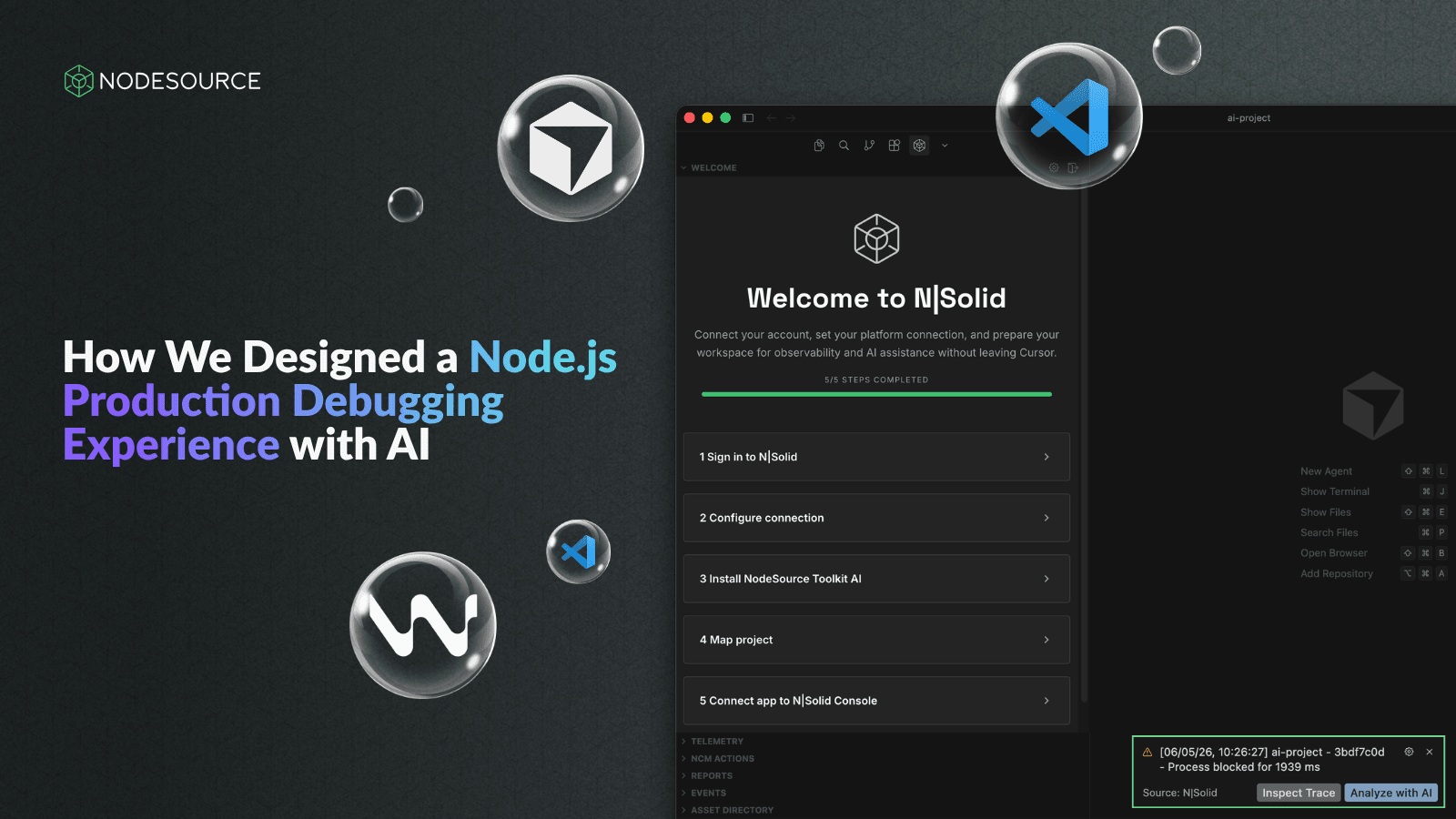
Earlier this year, our team launched the N|Solid Extension, a Node.js production debugging and observability tool designed for modern development environments.
The goal was simple: help developers investigate production issues without constantly switching between dashboards, monitoring platforms, and their editor. Instead, runtime telemetry, diagnostics, security insights, and AI-assisted workflows could live directly where developers already spend most of their time.
Before diving into the design process, here's the extension we ended up building.
If you're curious, feel free to explore it first and then come back to the article to see how everything came together.
🔗 VS Code Marketplace: https://marketplace.visualstudio.com/items?itemName=nodesource-inc.nsolid
🔗 Learn more about N|Solid Extension: https://nodesource.com/blog/nsolid-ide-vscode-extension-nodejs-monitoring-runtime-telemetry
While building the product itself was an exciting challenge, I found myself facing a different one.
How do you design an IDE extension when you've never designed one before?
Although I had years of experience designing web applications, this was my first time designing an editor extension. I quickly discovered that the constraints were completely different. Unlike traditional web applications, editor extensions operate within tight space constraints and must coexist with the developer's workflow. Every panel, interaction, and piece of information competes for attention inside environments like VS Code, Cursor, and Windsurf.
What works on a web dashboard doesn't necessarily work inside an editor.
Understanding the Environment Before Designing
Before creating a single screen, I spent time researching some of the extensions I already used every day, including GitLens, Docker, and CodeRabbit.
My goal wasn't to copy their interfaces. I wanted to understand how they organized information, how they used space, what felt intuitive, and what made the experience feel clean instead of overwhelming.
That research revealed an important reality: every pixel matters.
Unlike traditional web applications, where screen space is relatively abundant, extensions must communicate complex information within a very limited area. Too much information creates clutter, while too little information forces users to leave their workflow to find what they need elsewhere.
Finding that balance became one of the most important design challenges of the entire project.
Using AI as a Design Partner
Once I had a better understanding of the editor environment, AI became an important part of my design workflow.
Rather than relying on a single tool, I used different AI platforms for different purposes throughout the project.
Pencil for Visual Exploration
One of the most valuable tools during the early stages was Pencil.
Its biggest advantage was flexibility. Instead of relying entirely on prompts, Pencil allowed me to make direct adjustments to layouts, spacing, hierarchy, and visual structure. That level of control made it easier to explore concepts while maintaining precision over small design decisions.
For a project that required a lot of experimentation, that flexibility proved extremely valuable.
Pencil: https://trypencil.com
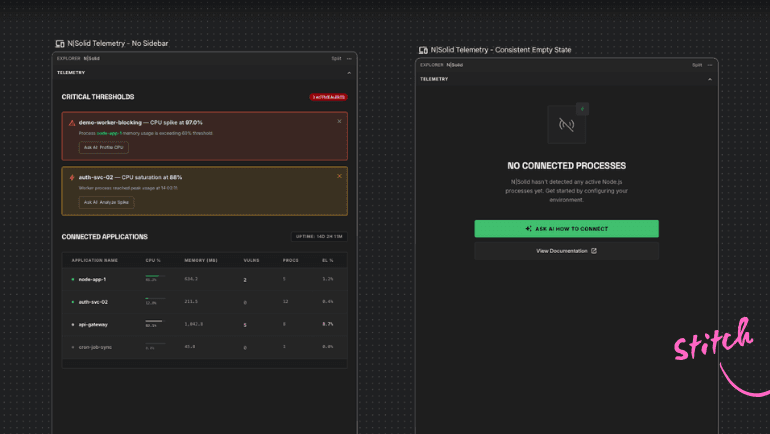
Stitch for Rapid UI Generation
Stitch played a different role.
While Pencil helped with refinement and control, Stitch allowed me to generate interface ideas through prompts. This made it possible to quickly explore multiple visual directions and evaluate different approaches without spending hours creating every variation manually.
The tradeoff was control. Sometimes a small change requested through a prompt could unintentionally affect other parts of the design. Even so, it was incredibly useful during the exploration phase and helped accelerate the process of testing new ideas.
Google Stitch: https://stitch.withgoogle.com
NotebookLM for Research and Brainstorming
NotebookLM became something closer to a design research assistant.
By uploading project documentation, requirements, and planning materials, I could use it to discuss user flows, explore UI ideas, clarify requirements, and organize information.
Rather than replacing product thinking, it helped me process large amounts of information and turn them into actionable design discussions.
NotebookLM: https://notebooklm.google.com
From Concepts to a Clear Direction
One of the most surprising parts of the project was how quickly the first design direction emerged.
The initial concept came together in roughly a day, but that doesn't mean the work was simple. Most of that time was spent experimenting with colors, layouts, spacing, hierarchy, prompts, and visual consistency.
Like many design projects, the challenge wasn't creating screens—it was finding the right direction.
Once the first version felt aligned with the product vision and received positive feedback from the team, the rest of the interface became significantly easier to build. A shared visual language had been established, making future decisions faster and more consistent.
The Importance of Continuous Feedback
One of the practices that had the biggest impact on the final result was sharing work early and often.
Instead of waiting until everything was finished, I shared screens with the team almost every day. This created a fast feedback loop that allowed the design to evolve naturally.
Sometimes the feedback focused on readability. Other times it centered on information density, hierarchy, or visual consistency. Small adjustments accumulated over time and gradually transformed early concepts into a more polished experience.
This iterative approach helped avoid large redesigns later in the project and ensured that design decisions remained aligned with both technical requirements and user needs.
What AI Actually Changed
One of the biggest misconceptions about AI-assisted design is that AI makes design decisions.
In my experience, the most valuable contribution was speed.
I still had to evaluate tradeoffs, understand developer workflows, prioritize information, and make every important design decision. What AI changed was the pace of exploration. Ideas that might have taken days to prototype could be generated and evaluated in hours. New directions could be tested quickly, reviewed with the team, and refined through feedback.
The result wasn't better design because of AI.
The result was faster iteration.
By reducing the cost of experimentation, AI allowed me to spend more time evaluating ideas and less time producing initial concepts.
Advice for Teams Building Developer Tools
If you're designing editor extensions, developer tools, or products in unfamiliar domains, my advice is simple.
Study the tools your users already rely on. Understand the constraints of the environment you're designing for before creating interfaces. Use AI to accelerate exploration rather than replace decision-making. Share work early, gather feedback continuously, and iterate more often than feels comfortable.
Most importantly, treat AI as a collaborator rather than a replacement for design expertise.
Building the N|Solid Extension reinforced something I already believed: great developer experiences come from continuous iteration, constant feedback, and a willingness to experiment.
AI didn't replace any of those fundamentals. Instead, it accelerated them.
For teams building extensions, developer tools, or entirely new product experiences, the biggest opportunity isn't letting AI design for you—it's using AI to explore more possibilities, learn faster, and iterate with greater confidence.
Watch the Full Story on YouTube
If you'd rather hear the story directly from me, we also recorded a NodeSource Dev Sessions episode where I talk about the design process, the tools I used, and what I learned while building the N|Solid Extension.
Watch the video on our YouTube Channel: https://youtu.be/SyVE3XKhaQs